Where to Find the Most Accurate Z Test Calculator App
You’re knee-deep in statistical analysis, and you need to run a z test. Fast. But here’s the problem: not all calculator apps give you reliable results. Some cut corners, some have outdated formulas, and others just flat-out confuse you with terrible interfaces.
Finding an accurate z test calculator isn’t just about convenience. It’s about getting results you can trust for your research, coursework, or data analysis projects. The wrong tool can lead to incorrect conclusions, and that’s a risk you shouldn’t take.
Let’s walk through where to find the best z test calculator apps, what makes them accurate, and how to use them properly.
What Makes a Z Test Calculator Accurate?
Before we jump into specific apps, you need to know what separates good calculators from bad ones.

Proper statistical formulas are the foundation. An accurate calculator uses the correct z test formula based on your test type. Whether you’re running a one-sample test, two-sample test, or proportion test, the math needs to be spot-on.
Clear input fields matter more than you’d think. You should be able to enter your sample size, mean, standard deviation, and hypothesized value without scratching your head. If the interface confuses you, there’s a higher chance you’ll input wrong data.
P-value calculations need to be precise. The calculator should give you both the z-score and the corresponding p-value. Some apps round these numbers too aggressively, which can affect your hypothesis testing decisions.
Multiple test options show that developers understand statistics. A quality calculator handles one-tailed and two-tailed tests. It should also support different types of z tests, not just the basic one-sample version.
Top Places to Find Reliable Z Test Calculator Apps
Online Statistical Platforms
Several websites specialize in statistical calculations and maintain high accuracy standards.
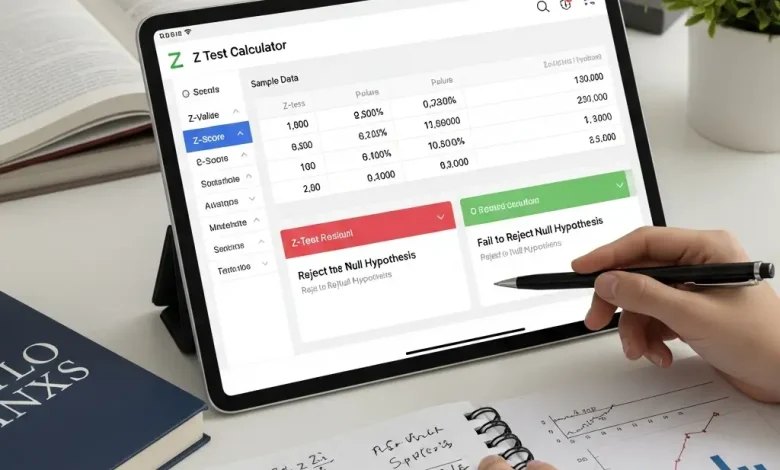
Ztestcalculator.com offers a free Z-Test Calculator that’s become popular among students and researchers. You enter your sample data, and it calculates the z-score and p-value instantly. The interface is clean, and it shows you the formula it’s using, which builds trust.
Tally Calculator provides a suite of statistical calculators including z score. Scientists often use this because it’s maintained by a company known for statistical software. The accuracy is professional-grade.
Social Science Statistics has a straightforward z test calculator that explains each step. This is helpful if you’re learning statistics while doing your analysis.
Mobile Apps Worth Downloading
If you need calculations on the go, these mobile apps deliver accuracy without requiring an internet connection.
Statistics Calculator (available on iOS and Android) includes z test functions along with dozens of other statistical tests. Users praise its accuracy and the fact that it shows your work step by step.
Statistical Analysis (Android) focuses specifically on hypothesis testing. The z test feature handles both population and sample scenarios. Reviews consistently mention reliable results that match desktop software.
Stat Calc (iOS) has a simple design but powerful calculations. It’s built by statisticians who understand the importance of precision. The app costs a few dollars, but the accuracy justifies the price.
Desktop Software Options
Sometimes you need more than a basic calculator. These desktop solutions offer advanced features while maintaining accuracy.
R Studio is free and open-source. While it requires some learning, the z test functions are as accurate as it gets. The statistical community constantly reviews and improves the code.
Excel with Analysis ToolPak can perform z tests if you enable the add-in. Microsoft maintains these functions, and they’re widely trusted in business and academic settings.
SPSS is the gold standard in professional research. It’s expensive, but universities often provide access. The z test accuracy is unquestionable because peer-reviewed research depends on it.
How to Verify Calculator Accuracy
Don’t just trust any calculator blindly. Here’s how to check if a tool is giving you accurate results.
- Run a known example through the calculator. Use a textbook problem where you already know the answer. If the calculator matches the textbook result, that’s a good sign.
- Compare multiple calculators with the same data. Enter identical values into three different calculators. They should all give you the same z-score and p-value (within rounding differences).
- Check for educational credentials. Is the calculator made by a university, research institution, or established software company? These sources have reputations to protect.
- Look for transparency. Does the calculator show you the formula? Can you see the calculation steps? Hidden processes should make you suspicious.
Using a Z Test Calculator Correctly
Even the most accurate calculator won’t help if you use it wrong. Here’s how to get reliable results.
Understanding Your Data Requirements
You need specific information before using any z test calculator:
- Sample size (n)
- Sample mean (x̄)
- Population standard deviation (σ) or sample standard deviation (s)
- Hypothesized population mean (μ₀)
- Significance level (usually 0.05)
Make sure you know whether you’re doing a one-tailed or two-tailed test. This affects your p-value interpretation.
Step-by-Step Calculation Process
Let’s say you’re testing whether a new teaching method improves test scores. Your null hypothesis is that the mean score equals 75.
- Enter your sample mean. If your class of 30 students averaged 78 points, that’s your sample mean.
- Input the population standard deviation. Let’s say historical data shows σ = 8 points.
- Specify the sample size. You have 30 students.
- Set the hypothesized mean. Your null hypothesis says μ₀ = 75.
- Choose your test type. Since you’re testing if scores improved (not just changed), use a one-tailed test.
The calculator should give you a z-score around 2.05 and a p-value around 0.02. Since p < 0.05, you’d reject the null hypothesis.
Common Mistakes That Affect Accuracy
Even with a perfect calculator, these errors can mess up your results.
- Using the wrong standard deviation is the most common mistake. If you have population data, use population standard deviation. If you’re working with a sample, you might need a t-test instead.
- Mixing up one-tailed and two-tailed tests changes your p-value. A one-tailed test at α = 0.05 has different critical values than a two-tailed test at the same level.
- Entering data in the wrong units can throw everything off. If your calculator expects standard deviation but you enter variance, your z-score will be wrong.
- Ignoring assumptions of the z test leads to misleading results. Your sample should be random, and your data should be approximately normal (or you need a large enough sample size).
When to Use Alternative Tools
Z test calculators aren’t always the right choice. Sometimes you need different tools.
- Small sample sizes (usually under 30) often require a t-test instead. Z tests assume you know the population standard deviation, which is rare with small samples.
- Non-normal data might need non-parametric tests. If your data is heavily skewed or has outliers, a z test can give misleading results.
- Paired data requires different calculations. If you’re comparing before-and-after measurements on the same subjects, you need a paired test.
- Multiple groups can’t be compared with a simple z test. You’d need ANOVA or other methods.
Free vs. Paid Calculator Apps
Should you pay for a Z-test calculator? Here’s what you get with each option.
- Free calculators work fine for basic needs. If you’re a student or doing occasional analysis, free online tools like Statology or Social Science Statistics are perfectly accurate.
- Paid apps offer more features. You might get batch calculations, data visualization, report generation, or multiple statistical tests in one package.
- Professional software makes sense if you’re doing frequent analysis. SPSS or Minitab cost money, but they include quality control, customer support, and guaranteed accuracy.
For most people, free calculators provide all the accuracy needed. Pay for software only if you need the extra features or professional support.
Mobile vs. Desktop: Which Is More Accurate?
The platform doesn’t determine accuracy. The developer does.
- Mobile apps can be just as accurate as desktop software. The math doesn’t change based on screen size. However, mobile apps sometimes simplify features to fit smaller interfaces.
- Desktop tools often include more options and detailed output. They’re better for complex analysis or when you need to save and document your work.
- Online calculators work on any device with a browser. They’re convenient and usually accurate, but you need internet access.
Choose based on your workflow, not assumptions about accuracy. A well-made mobile app beats a poorly designed desktop program every time.
Frequently Asked Questions
What’s the difference between a z test and t test calculator?
A z test uses the population standard deviation and works well with large samples. A t test uses the sample standard deviation and handles small samples better. If your sample size is under 30, you probably need a t test.
Can I use a z test calculator for proportions?
Yes, but you need a calculator that handles proportion tests. The formula differs from a mean-based z test. Look for calculators that ask for the number of successes and total sample size.
How do I know if my calculator is using the right formula?
Check if it shows the formula or calculation steps. Good calculators display the z-score formula: z = (x̄ – μ₀) / (σ/√n). If you can see the math, you can verify it.
Are online z test calculators safe to use for research?
Yes, if they’re from reputable sources. Universities, research institutions, and established statistical software companies maintain accurate calculators. Always verify results with a second calculator for important research.
Do I need to download software or can I use web-based calculators?
Web-based calculators work fine for most needs. Download software only if you need offline access, advanced features, or you’re doing professional research that requires documented tools.
What should I do if two calculators give different results?
Check your inputs first. Make sure you entered the same values and chose the same test type. If inputs match and results differ significantly, use a third calculator or manual calculation to find which is correct.
Finding Your Perfect Calculator
The most accurate z test calculator is the one that fits your needs and gives you confidence in your results. Whether you choose a free online tool, a mobile app, or professional software, accuracy comes from using the right tool correctly.
Remember to verify your results, understand your data requirements, and choose appropriate test types. The calculator is just a tool. Your knowledge of statistics determines whether you use it correctly.
Now you know where to find accurate z test calculators and how to use them. Pick a tool, plug in your data, and get analyzing. Your statistical conclusions deserve the best tools available.